Healthy Dinner : 500+ Recipes
- 4.7
- Rating
- 10.00K
- Installs
- Free
- Price

 Analysis by App-foxy
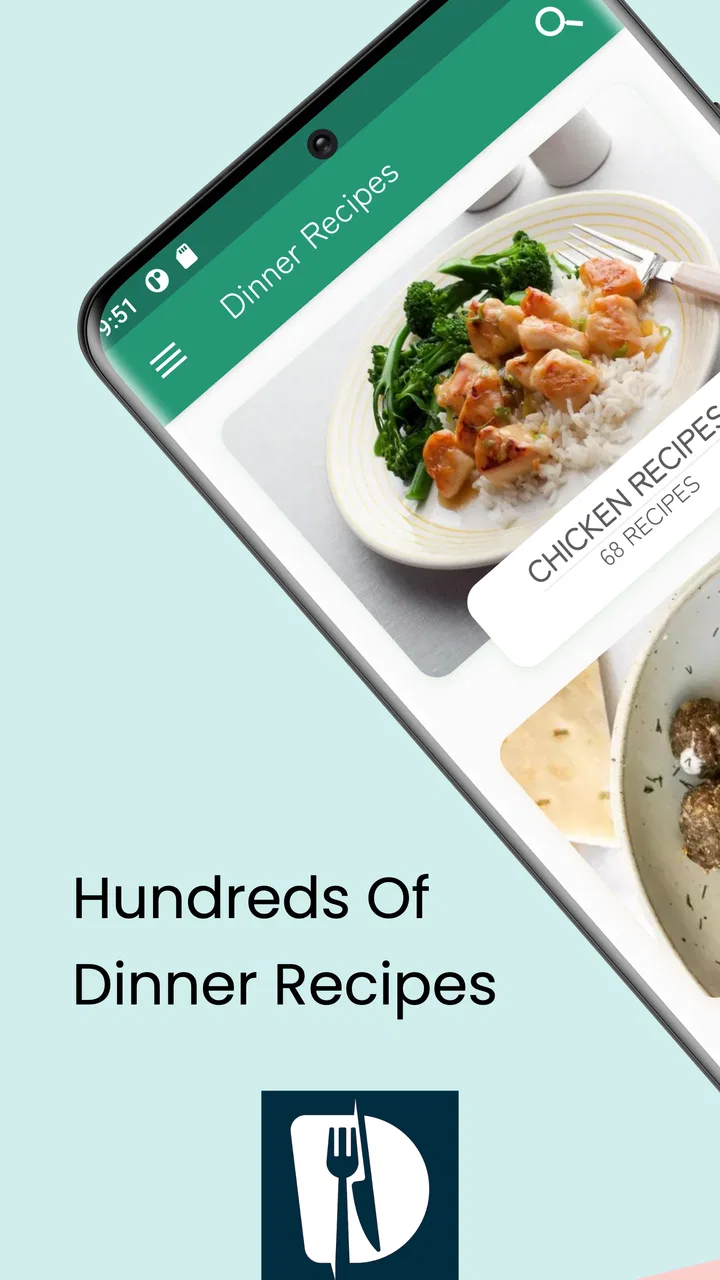
I usually reach for a recipe app when I have ingredients in the kitchen but no clear plan for turning them into dinner. Healthy Dinner: 500+ Recipes is built for exactly that moment: a free Food & Drink app from kiran chavan that puts a large collection of dinner ideas on a phone running Android 9 or later. After spending time with it, I found it most useful as a quick decision-making tool rather than a complete cooking system.
The appeal is simple. Instead of searching the web, opening several pages, dismissing pop-ups, and trying to remember which recipe looked practical, I can browse one focused collection and choose something that fits the evening. That narrow purpose gives the app a friendly, low-pressure feel. It is aimed at people who want healthier dinner inspiration without turning meal planning into a separate project.
From an empty dinner plan to a workable meal
My typical starting condition is familiar: it is late, I am hungry, and I have a few ingredients available but no recipe in mind. In that situation, the app’s collection is more helpful than a blank search box. I can browse for an idea first, then decide whether I already have enough of what it needs or whether a quick grocery stop is worthwhile.
You May Also Like

 AccuWeather: Weather Radar
AccuWeather Review: A Quick, Clear Forecast for Everyday Decisions
For everyday plans, the best forecast is the one you can understand quickly. AccuWeather makes rain timing, radar, and local conditions easy to act on, with a few trade-offs.

 Hill Climb Racing
Why Hill Climb Racing Still Turns Crashes Into One More Run
A tiny car, a bumpy hill and one more upgrade: Hill Climb Racing keeps resurfacing because its simple chaos makes every near-miss feel personal.

 AliExpress - Shopping App
AliExpress Makes Global Shopping Feel Personal, but Shoppers Bear the Risk
AliExpress turns a global marketplace into a pocket-sized discovery engine. Its reach is useful, its shopping loop compelling, and its trade-offs easy to miss.

 Lords Mobile: Kingdom Wars
Lords Mobile Is a Kingdom-Building Routine, Not a Quick Match
A case-by-case verdict on the building, battles, device demands, and social commitments that make Lords Mobile rewarding for some players and exhausting for others.

 PDF Scanner app - TapScanner
TapScanner Makes Paperwork Easier to Capture, Check, and Share
TapScanner makes scanning with a phone feel less like a rescue operation and more like a dependable step in getting work done. Its capture tools are useful, though not flawless.

 Block Blast!
 Shows How Much a Puzzle Game Can Leave Out
A quiet grid game shows why puzzle players increasingly value instant clarity, repeatable skill and low-pressure play—and where the genre still needs to catch up.
More From Our News Desk
View All News


The first useful habit is to open the app before shopping, not only when cooking has already begun. Browsing in advance changes the task from “What can I make right now?” to “Which dinner should I prepare this week?” That small shift makes the collection more practical for people who want variety but do not enjoy building elaborate meal plans.
I also like using the app as a fallback when a familiar meal has become repetitive. A recipe collection can be valuable even when only a portion of its ideas match my taste. The point is not to cook every entry; it is to reduce the time spent staring into the refrigerator and defaulting to takeaway or the same dependable dish.
The app is free to install, which makes trying that workflow easy. It is rated for Everyone, so it is suitable for a household where different people may browse it. Its current version is 6.6, and the project has been available since June 14, 2022. Those details matter less than the everyday experience, but they place the app as an established recipe utility rather than a newly appearing experiment.
Choosing a recipe without overthinking it
When I browse, I do not begin by looking for the most impressive dinner. I first ask three practical questions: do I have the main ingredient, can I handle the preparation tonight, and will the result suit the people eating? This approach prevents a common recipe-app mistake: selecting something attractive that becomes inconvenient once the cooking starts.
A useful trick is to treat each recipe as a starting point rather than a strict contract. If I have a suitable vegetable or protein but not every supporting ingredient, I can use the recipe to guide the general direction and make sensible substitutions. That works best for flexible home cooking, where the goal is a balanced dinner rather than a perfect copy of a photograph.
At the same time, I would not rely on casual substitutions when a recipe depends on a particular texture, cooking method, or dietary restriction. The app can help generate ideas, but it does not replace my own judgment about allergies, intolerances, or ingredients that need special handling. Anyone cooking for a medical diet should check every ingredient carefully instead of assuming that a recipe described as healthy is automatically suitable.
This is one of the app’s important boundaries. “Healthy” is a useful direction, but it is not a personalized nutrition plan. People counting exact calories, monitoring sodium, following a prescribed diet, or tracking macronutrients may prefer a specialist app with detailed analysis. This collection is better for inspiration and ordinary dinner planning than for clinical or highly measured food management.
The cooking workflow and the handoff from screen to kitchen
Once I have chosen an idea, the real test is the handoff from browsing to cooking. A recipe app succeeds when I can stop looking at the phone and begin preparing with confidence. Before touching a pan, I check the full ingredient list and mentally separate what needs chopping, thawing, measuring, or cooking first. That short preparation step prevents the most annoying kind of kitchen interruption: discovering halfway through that an essential item is missing.
I recommend reading the entire recipe before starting rather than following it line by line from the beginning. This is especially useful when several tasks overlap. I can then group the work into a sensible order, prepare ingredients together, and avoid returning to the phone with wet or flour-covered hands. The app’s value is greatest when it reduces decisions, not when it makes me repeatedly pause to decode the next instruction.
For a realistic weekday scenario, imagine coming home with chicken, a couple of vegetables, and a limited amount of time. I would browse for a dinner that uses the chicken as its anchor, compare the supporting ingredients with what is already available, and choose the option requiring the fewest extra steps. I would prepare all the vegetables before heating the pan, keep the phone where it can be checked safely, and adjust seasoning near the end. The app provides the direction; my kitchen habits determine whether the process feels calm or rushed.
That division of responsibility is important. The application can hand me a recipe idea, but it cannot know the size of my ingredients, the strength of my stove, my preferred level of seasoning, or whether someone at the table dislikes a particular component. I still need to watch the food and use ordinary cooking judgment. A recipe should guide the meal, not replace attention.
Where the app helps more than ordinary web searching
Compared with a general web search, the main advantage is focus. Search engines return an enormous mixture of recipes, videos, advertisements, personal stories, and pages that may be difficult to use in a busy kitchen. This app keeps the purpose centered on dinner ideas, so browsing feels more like opening a cookbook than researching a topic.
That focus is particularly helpful when I do not know the exact name of the meal I want. A search box expects me to describe the answer before I have found it. A collection lets me discover possibilities first. For an indecisive cook, that difference can save more time than another advanced filter would.
There is also less temptation to compare endlessly. Web searching encourages opening multiple tabs and judging recipes by photos or headlines. A dedicated collection supports a faster decision: browse, select, inspect the ingredients, and move on. I found that useful on ordinary evenings when the best outcome is not culinary perfection but a reasonable homemade dinner.
However, the usual alternatives have strengths this app does not necessarily replace. A full meal-planning service may organize a week of dinners, create a consolidated shopping list, and remember dietary preferences. A video-based platform may show knife work, texture, and timing more clearly. A nutrition tracker may provide precise nutritional information. If those are the features that determine whether I can cook successfully, I would choose the specialized alternative and use this app only for extra inspiration.
Practical handoffs for shopping, cooking, and sharing
The first handoff is from the app to the shopping list. I do not copy ingredients mechanically. I compare the recipe with what is already in the cupboard, then write only the missing items. This avoids buying duplicates and makes the collection more useful for small households, where unused ingredients can become waste. I also note possible substitutes before leaving, so one unavailable ingredient does not cancel the dinner plan.
The second handoff is from the cook to the people eating. If I am preparing dinner for others, I check the recipe’s ingredients against their preferences before committing. A meal can be healthy in a general sense and still be unsuitable for one person because of taste, allergy, or texture. The app helps me begin the conversation, but it does not make that decision for me.
The third handoff is from one cooking session to the next. After trying a recipe, I mentally classify it as repeatable, adaptable, or not worth the effort. That simple three-part system is more useful than trying to remember whether I “liked” an entry. A repeatable recipe becomes part of the regular rotation; an adaptable one becomes a template for different ingredients; the last category is safely ignored next time.
For families or shared homes, I would also show the chosen recipe before cooking rather than announcing dinner at the last moment. That gives others a chance to mention substitutions and turns the app into a small planning aid. It is a modest use case, but it makes the collection more valuable than passive browsing because the recipe becomes a shared decision.
What the finished result feels like
The result I get from this app is mainly confidence and variety. It helps me move from uncertainty to a concrete dinner direction without requiring a long planning session. That is a meaningful benefit for beginners, busy workers, students, and anyone trying to cook at home more often.
I would describe the experience as lightweight rather than comprehensive. It does not need to become the center of my food life to be useful. Opening it for a few minutes, finding a suitable idea, and putting the phone away is a successful session. The app earns its place when it removes friction at the beginning of cooking.
The collection is also useful for building a personal rotation. Instead of deciding from scratch every evening, I can remember a few recipes that fit my schedule and revisit the app when I want something different. A good workflow is to save nothing mentally until I have actually cooked it; attractive browsing choices do not always survive contact with my available time, equipment, or appetite.
Its public reception suggests that many users find the concept worthwhile: the app has a 4.7 average from over two hundred ratings, along with more than twenty written reviews and over ten thousand installs. I treat those figures as encouraging rather than decisive. Recipe preferences are personal, and a high average cannot tell me whether the collection matches my diet or cooking style.
Where the workflow breaks down
The flow can break at the discovery stage if I want highly specific controls. Someone searching by exact preparation time, calorie target, cuisine, allergy, budget, or available appliance may find a broad collection less efficient than a database designed around those filters. When the constraints are strict, I would rather use a tool that lets me enter them directly.
It can also break during preparation if the instructions do not answer the question I have at that moment. Home cooks often need details such as how finely to cut an ingredient, what visual sign indicates doneness, or how to recover from a sauce that is too thin. A compact recipe app is not always a substitute for technique-focused guidance, so beginners may still need a trusted cooking reference beside it.
Another limitation is that a large recipe collection can create choice overload. More options do not automatically mean faster decisions. My solution is to impose a rule before browsing: choose based on one main ingredient, one available cooking method, or one time limit. Without that rule, I can spend longer scrolling than I would have spent preparing a simple meal.
The free price is attractive, but in-app purchases range from $1.99 to $11.99 per item. That does not make the app unsuitable, yet it is worth remembering before treating every part of the experience as cost-free. I would begin with the free experience and decide whether any paid item genuinely improves my routine. If I only need occasional inspiration, paying may not be necessary; if a particular addition saves repeated planning effort, the value depends on how often I use it.
I would also skip this app if I expect a complete shopping, nutrition, and meal-prep manager in one place. It is not the right choice for someone who wants exact dietary accounting or a highly automated weekly system. Likewise, cooks who learn best through video may feel more comfortable with a visual cooking platform. The app’s strength is its focused recipe browsing, and its weakness is the same focus when the user needs broader tools.
Who will get the most from it
I recommend it most to people who need a dependable source of dinner ideas rather than a demanding culinary course. It suits a beginner who wants to cook more often, a busy person who needs help choosing tonight’s meal, or an experienced home cook who wants to break out of a repetitive routine.
It is also a sensible companion for a modest grocery shop. I can choose a few dinner directions first, buy overlapping ingredients, and reduce the chance of purchasing random items with no plan. The important technique is to compare recipes before shopping, not after, so the ingredients serve more than one meal whenever possible.
I would be more cautious recommending it to people with strict medical diets, serious allergies, or a need for verified nutritional calculations. They need to inspect every recipe and may be better served by a specialized resource. The app can still provide ideas, but it should not be the final authority on safety or nutrition.
Overall, I see this free app from kiran chavan as a practical answer to a very ordinary problem: deciding what healthy-ish dinner direction to take when motivation and time are limited. Its strongest feature is not complexity; it is the short path from browsing to a workable plan. Its limitations become clear when I ask it to manage the entire process, from personalized dietary rules to shopping automation and cooking instruction.
My final advice is to use it deliberately. Start with the ingredients or time you actually have, inspect the recipe before shopping, prepare the handoff into the kitchen, and judge each result by whether you would cook it again. If that workflow matches what you need, Healthy Dinner: 500+ Recipes can become a handy source of everyday variety. If you need precision, automation, or detailed technique, choose a more specialized companion instead.
FAQs for Healthy Dinner : 500+ Recipes
01What is Healthy Dinner: 500+ Recipes?
Healthy Dinner: 500+ Recipes is a cooking app designed to help users find practical ideas for nutritious evening meals. Its recipe collection focuses on balanced dishes made with everyday ingredients, including options for vegetables, meat, seafood, grains, and lighter meals. The app is useful for anyone who wants to organize dinner more easily without searching through numerous websites.
02Does Healthy Dinner: 500+ Recipes work offline?
Whether every recipe is available offline may depend on the version of the app and how its content is delivered. After opening recipes, users should check if they can still access the instructions without an internet connection. An internet connection may be required for downloading the app, loading updated content, displaying advertisements, or accessing features that depend on online services.
03Are the recipes suitable for weight loss or special diets?
The app can provide lighter dinner inspiration, but it should not be treated as a medical or professionally supervised weight-loss program. Users following vegetarian, vegan, low-carbohydrate, gluten-free, diabetic-friendly, or allergy-sensitive diets should carefully review every ingredient and serving suggestion. Nutrition information and substitutions may not be provided for every recipe, so personal verification is important.
04Is Healthy Dinner: 500+ Recipes free to download and use?
The application may be available to download without an upfront payment, but the exact business model can vary by platform and app version. Some features or content may include advertising, optional purchases, or other restrictions. Before downloading, check the Google Play Store or Apple App Store listing for current pricing, in-app purchase details, supported devices, and any subscription requirements.
05Can beginners easily follow the recipes in this app?
Most users should find the app helpful for discovering straightforward dinner ideas, especially when they want inspiration rather than advanced culinary instruction. However, recipe difficulty, preparation time, ingredient availability, and measurement formats can differ. Beginners should read the complete recipe before starting, prepare all ingredients in advance, and confirm cooking temperatures and times for meat or other foods requiring careful preparation.
Pros
- Over 500 dinner ideas make weekly meal planning easier.
- Recipes suit different tastes
- from light meals to hearty dishes.
- Clear ingredient lists help simplify grocery shopping.
- Useful for discovering healthier alternatives to familiar comfort foods.
- Works well as a source of inspiration for beginner home cooks.
Cons
- Some recipes may require ingredients that are difficult to find locally.
- Nutritional details may not be available for every recipe.
- The large recipe collection can feel difficult to browse without strong filters.
- Portion sizes may need adjustment for families or specific diets.
- Some meals may take longer to prepare than their descriptions suggest.

Healthy Dinner : 500+ Recipes
Gallery